Call Codes
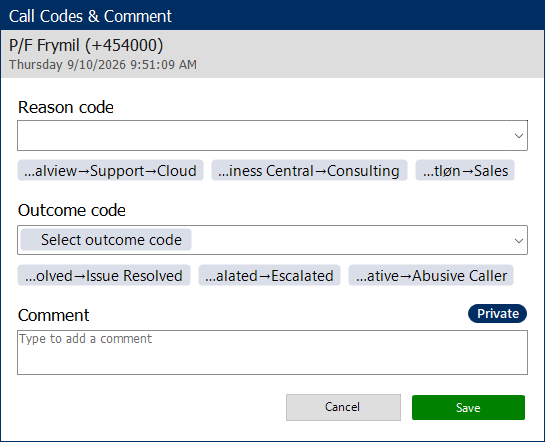
Call codes are used to categorize and report on call interactions you handle in the PC-Client.
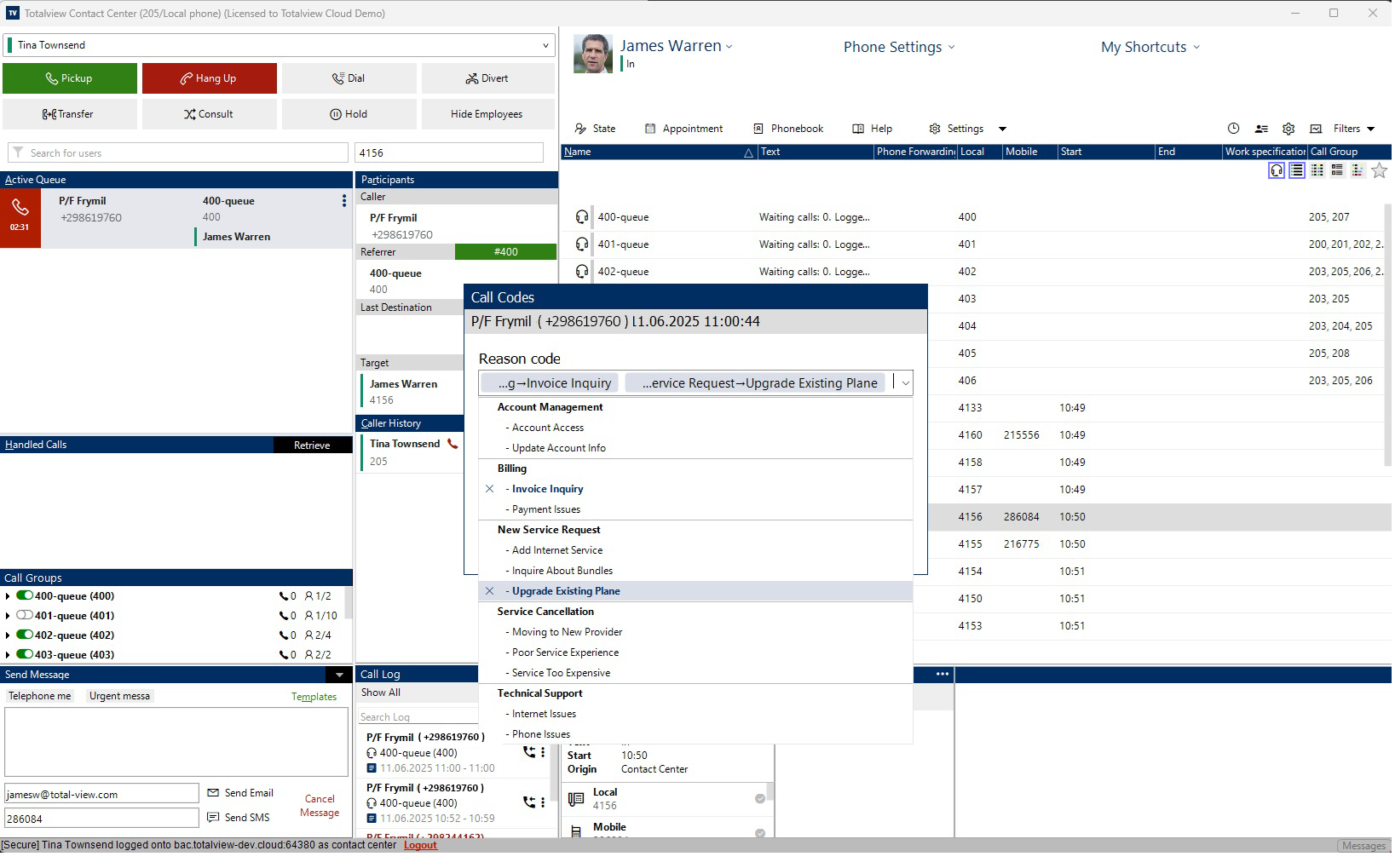
Reason codes are used to record why a customer called. They are organized in a hierarchy, and users can choose one or more reason codes for each call.
Outcome codes are used to record the result of the interaction with a customer.
Call codes can be assigned to calls in Totalview Contact Center or Totalview Switchboard Client during the call, during the wrap-up period, or after the call has finished.
How to Enable Usage of Call Codes
To enable the usage of call codes for a user, the permission Use Call Codes must be selected in the Web Admin interface.

Require Call Codes
To require users to use call codes, the permission Require Call Codes must be selected in the Web Admin interface.
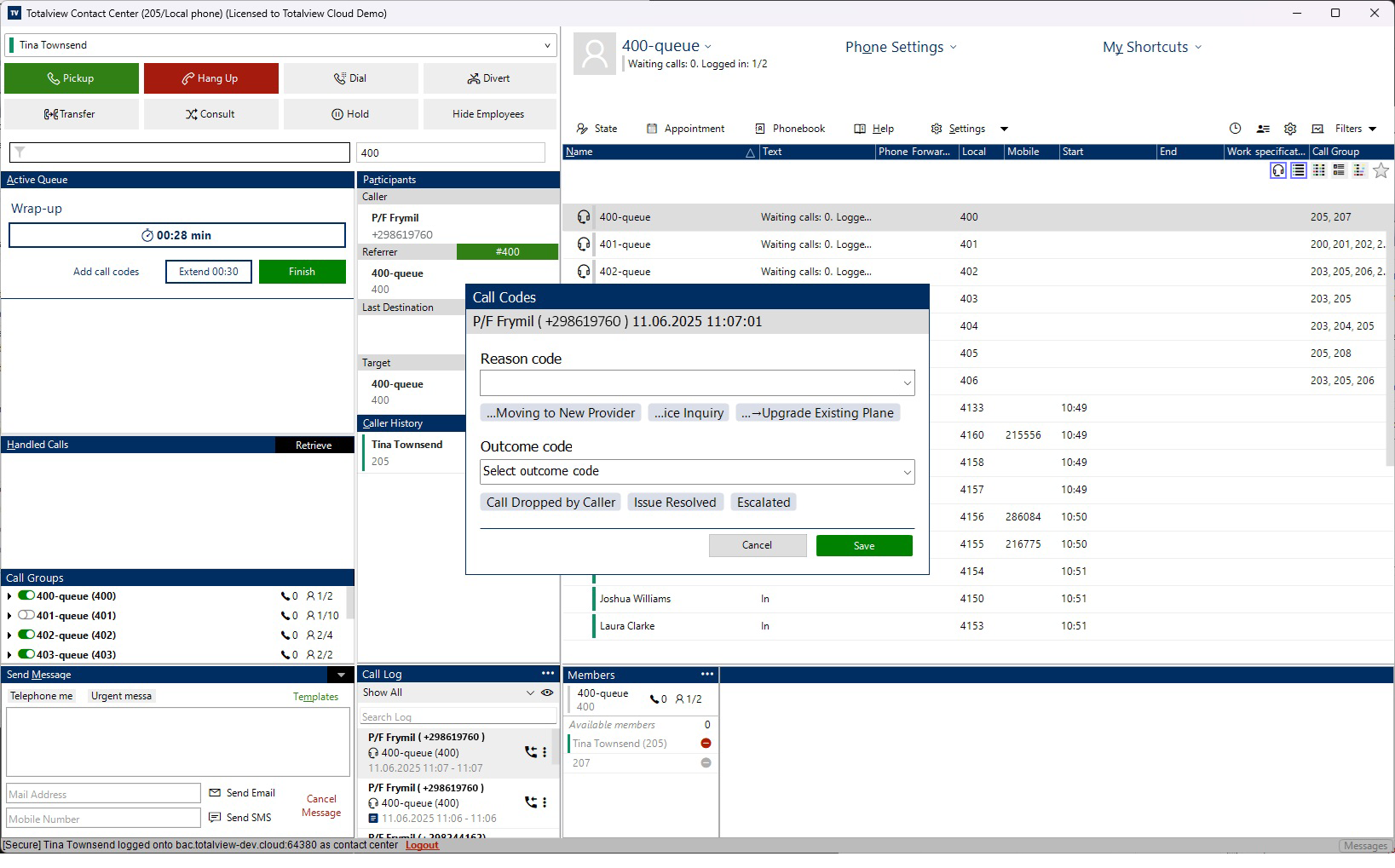
If Require Call Codes is selected, the call-codes dialog will always be displayed after the call ends, and the user must select at least one reason code and one outcome code before finishing.
When selecting Require Call Codes, the Use Call Codes and Call Wrap Up permissions are prerequisites and will be selected automatically.

How To Add Call Codes To a Call
Call codes can be assigned to calls in Totalview Contact Center or Totalview Switchboard Client during the call, during the wrap-up period, or after the call has finished.
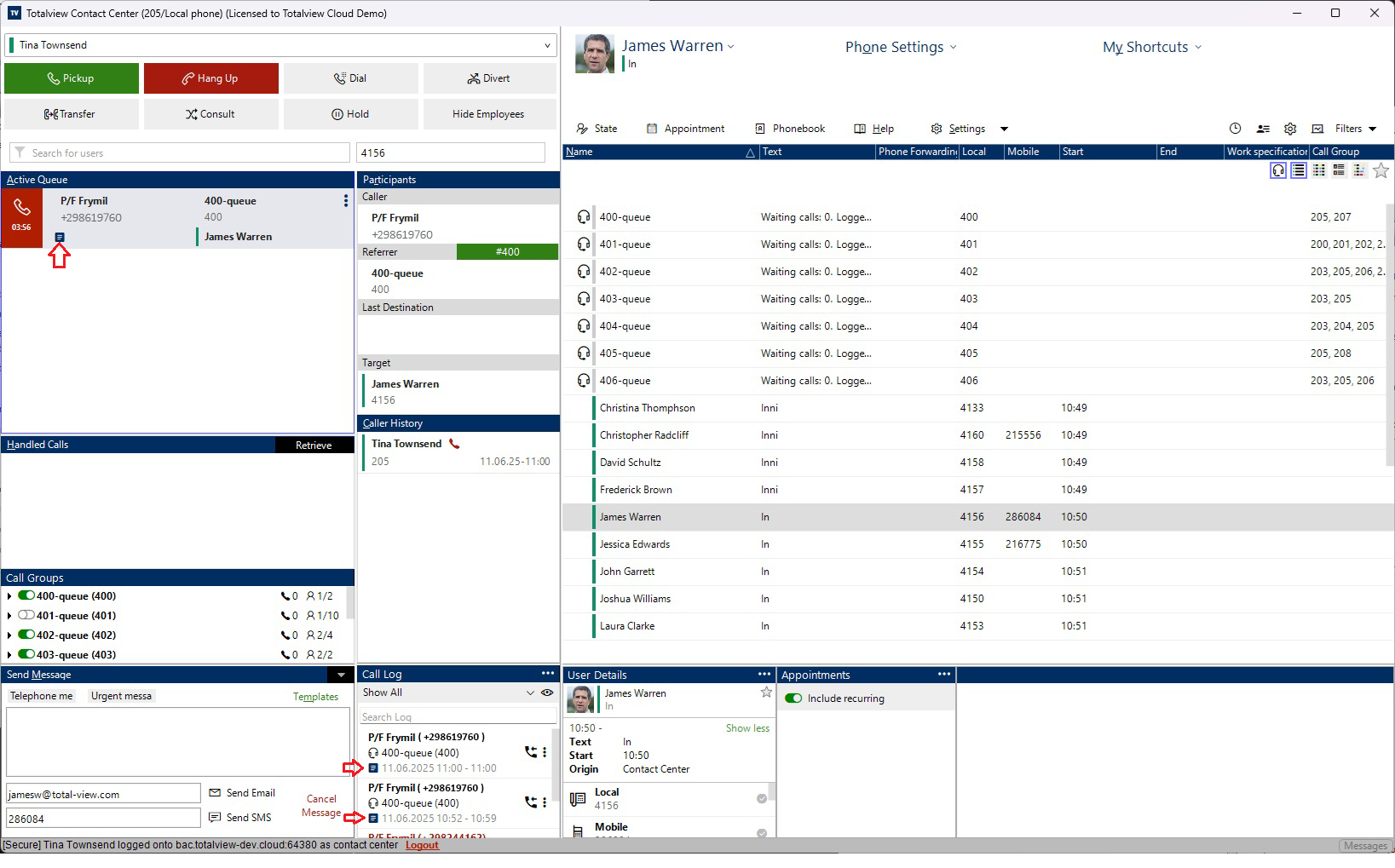
It is possible to add call codes to a call by right clicking or click the three vertical dots for the active call or in the Call Log and select Add Call Codes.

It is also possible to add call codes during the wrap-up period by clicking the Add Call Codes button in the wrap-up dialog.

Call Code indicator
When a call code is added to a call, an indicator will appear in the call list, showing that the call has been assigned a call code. This helps users quickly identify calls that have been categorized.
This is also possible to see in the call log, where the call code indicator will be displayed next to the call entry.
Enable Popup Without Requiring Call Codes
Grant the Use Call Codes permission and enable Prompt for reason and outcome codes on call end in the client’s General Settings to have the call-codes dialog appear automatically without requiring selection.

Last Used Call Codes
Below the Reason Codes and Outcome Codes dropdowns, the three most recently used codes are displayed. If the user selects a reason code or outcome code, it will be added to the list of last used call codes. The last used call codes are saved for each user and can be used in future calls.

Selecting Multiple Reason Codes
It is possible to select multiple reason codes for a call.
Adding comments
When user has “Use Call Comments” rights, they can add an optional comment to the call.
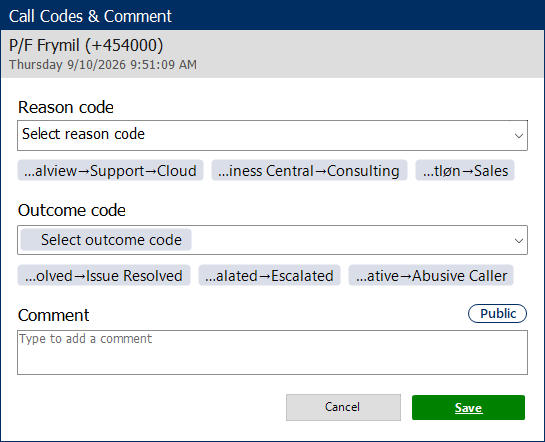
The comment is by default public, but can be set to private by clicking the pill above the comment box on the right.