
The State Settings
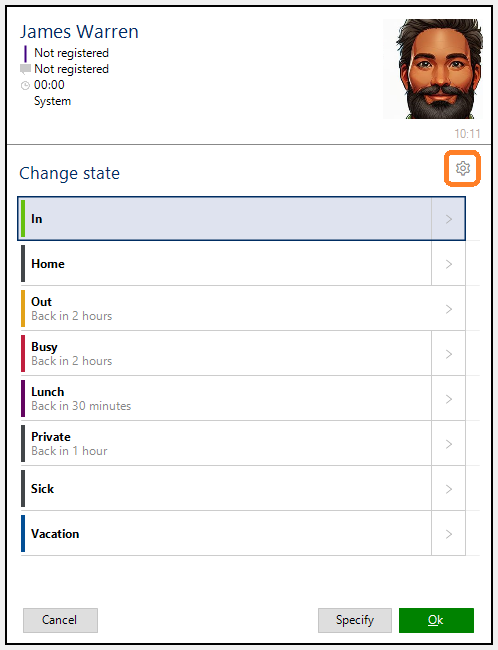
The State Settings in the client is accessible through the settings icon in the top right corner of the Change State or Make Appointment windows.
The state order
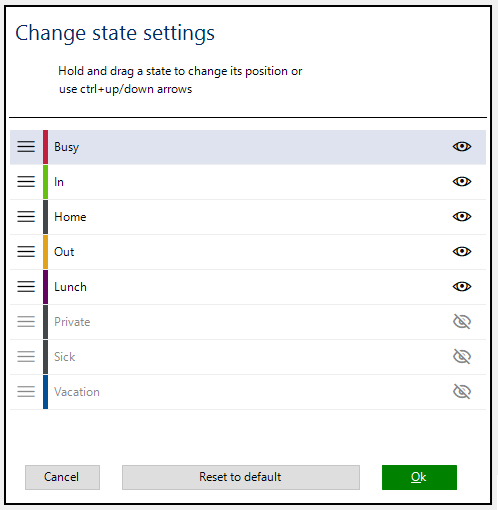
The state order can be changed by dragging and dropping a state item.
The keyboard can also be used to change the order:
ctrl-up: moves the selected state one up
ctrl-down: moves the selected state one down
shift-up: moves the selected state to the top
shift-down: moves the selected state to the bottom
Reset the state order can be done by pressing button “Reset to default”
Hide unwanted states
If a state is never or seldomly used, it can also be hidden. Visibility of state can be selected by pressing the eye icon or by pressing on space if the keyboard is prefered.
Temporary see all states
If you want to change state to one that you’ve hidden, you can hold down the shift key while pressing the State or the Appointment buttons. When you do this, all states will be available.