
Data Dump
What is data dump
Data dump is a service that will store the current state and location of all users in Totalview to a given directory.
How to enable data dump
Stop the MobileWeb connector from the Totalview Admin console.
Open the appsettings.json file in the MobileWeb folder (typically TotalviewInstallationFolder\WCF\MobileWeb_WCF\appsettings.json)
Edit this section in the file.
"DataDumpOptions": {
    "Enabled": false,
    "OutputDirectoryPath": "c:\\DataDump",
    "SaveInterval": "00:05:00",
    "SaveAsHTML": true,
    "ErrorEmailFromAddress": "no-reply@totalview.cloud",
    "ErrorEmailToAddress": "mail@domain.com"
}
Valid options for the dataDumpConfigurationSection
Name |
Type |
Default value |
Description |
Enabled |
Boolean |
false |
If the data dump should run. |
OutputDirectoryPath |
Text |
c:\DataDump |
Where the files should be written |
SaveInterval |
TimeSpan |
00:05:00 |
The interval for the pull |
SaveAsHTML |
Boolean |
false |
File format as fully styled .html file (false provides plaintext .txt file) |
ErrorEmailToAddress |
Text |
If an error occurs, it will be logged and sent to this address. |
|
ErrorEmailFromAddress |
Text |
If an error occurs, it will be logged and sent from this address. Not used if email is sent using the Exchange connector. |
Save as HTML
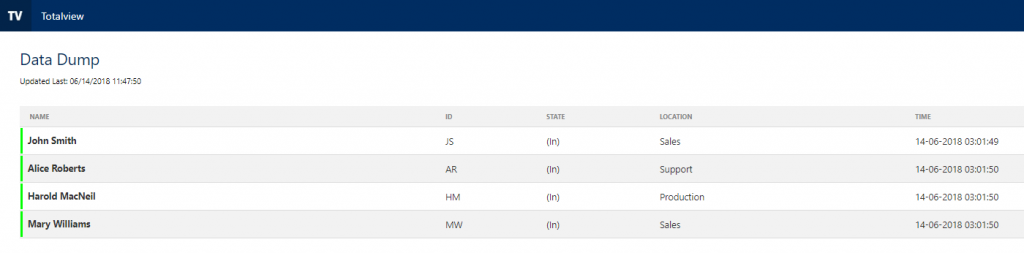
Example of Data Dump file with saveAsHTML configuration option set to “true”.
Error Emails
If you write an email address in the errorEmailToAddress field in the dataDumpConfigurationSection, an email will be set to this address if an error occurs.
The same email will be sent once every 30 minutes if the error persists.
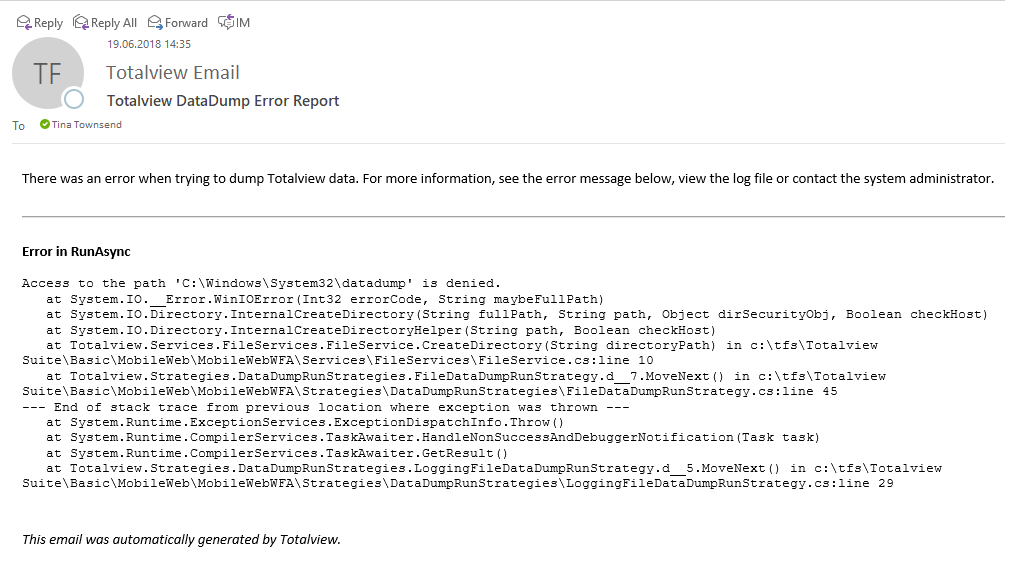
Example of Data Dump Error Email