Delete User Script
Included in the Totalview installation is an SQL script to delete all information about a user. It is strongly advised against using this script unless it is absolutely strictly necessary to delete all traces of information that can be linked to a person. Think GDPR.
For normal operations it is sufficient to use the user delete function in Admin module.
Prerequisite
SqlServer PowerShell module must be installed on machine where script is to be executed from.
To verify that it’s already installed, run the following command:
Get-InstalledModule -Name SqlServer
If not found, install it, using the following command:
Install-Module -Name SqlServer
Get User’s ID
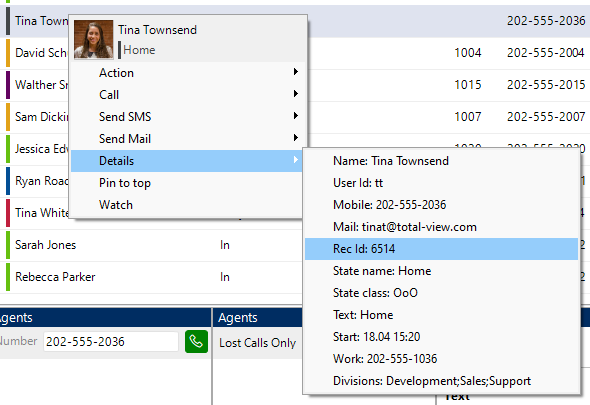
Open Totalview Client and right click on the user that is to be deleted. In the popup context menu, under Details, the Rec Id is the user’s ID, that is to be used a input to the script.
Execute the Script
1. Stop all Totalview Services
2. Take Backup of Database
3. Run SQL Script
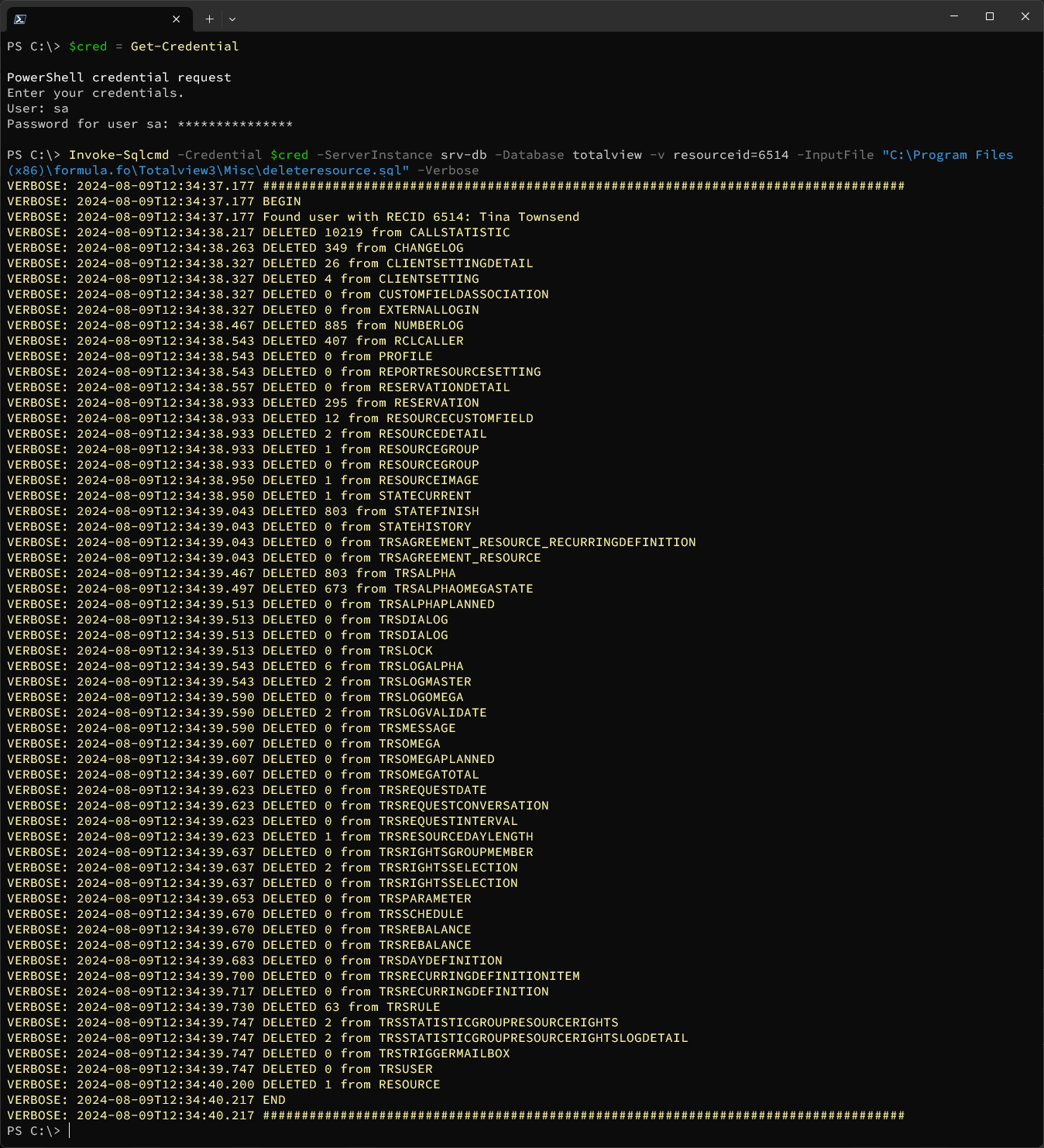
$cred = Get-Credential
Invoke-Sqlcmd -Credential $cred -ServerInstance <db server name> -Database <database name> -v resourceid=<user id to be deleted> -InputFile <path to deleteresource.sql script> -Verbose
Example:
$cred = Get-Credential
Invoke-Sqlcmd -Credential $cred -ServerInstance srv-db -Database totalview -v resourceid=123 -InputFile "C:\Program Files (x86)\formula.fo\Totalview3\Misc\deleteresource.sql" -Verbose