
Emergency Broadcast
The Emergency Broadcast feature allows authorized users to send a message to all Totalview contacts.
Users can be granted permission to use this feature in Web Admin under Smart Client Permissions.
Emergency broadcasts are intended for urgent situations where all contacts must be notified quickly, such as system outages or other critical events.
The app caches contacts locally. When sending an Emergency Broadcast, it uses the contacts from the last time the app synced with the server. This list may be outdated.
When there are totalview contacts without mobile numbers, the app will show their names in the section at the bottom of the screen, so that users are aware of which contacts will not receive the message.
This design ensures that the app can still send Emergency Broadcasts if the server is unavailable or if there are network issues, as long as the contacts were previously cached.
Messages are sent via the default messaging app on the user’s device, so the user may be prompted to send multiple times if sending in batches.
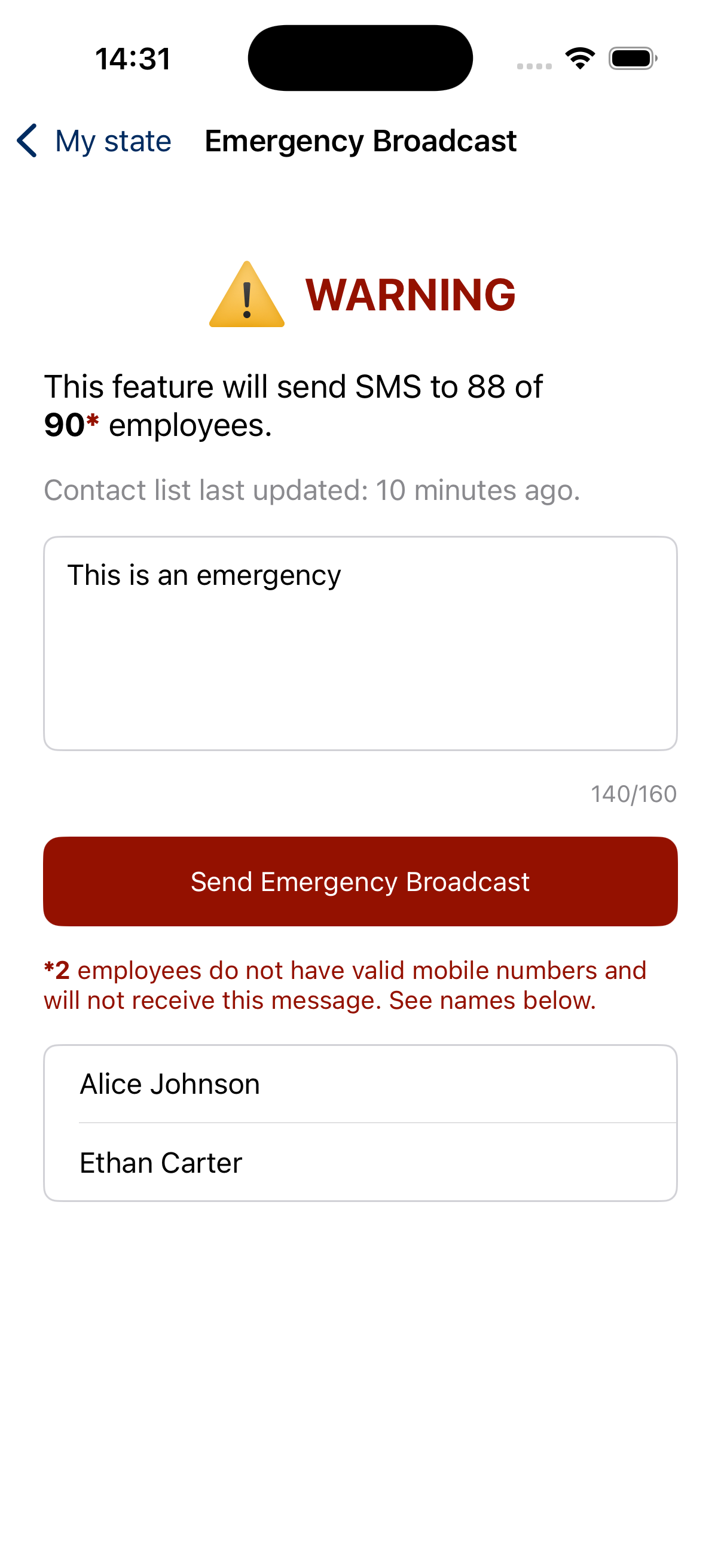
Sending an emergency broadcast
Do the following to send an emergency broadcast:
Compose your message, keeping in mind the character limit which is 160 characters.
Review your message and click “Send” to dispatch the emergency broadcast to all contacts.