Totalview Help Center
User Guides
Authentication
PC Client
Wallboard
iPhone
Android
Doorway Client for Windows tablet
Installation
Settings
Login
My State
Viewing Current State Information
Starting Appointments Ahead of Time
Specifying Your State
Configuration
Doorway Client for iPad
Reports
HR Client
Time Client
Documentation
Admin
Web Admin
Authentication
HR
Time
Reports
Database
Public API
Technical Guides
Release Notes
Totalview Help Center
»
Doorway Client for Windows tablet
»
My State
My State

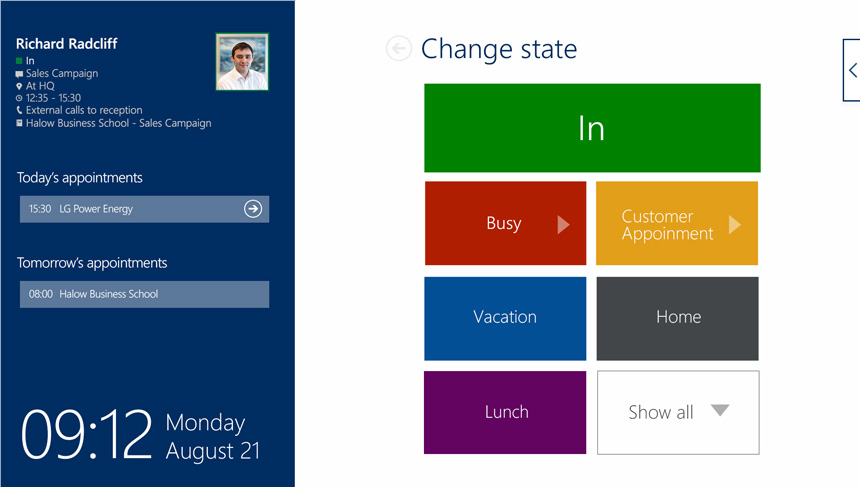
After logging in, you are presented with the My State view, where you can
Viewing Current State Information
Starting Appointments Ahead of Time
Specifying Your State
Expected end time
Message
Location
Phone Forwarding
Do Not Disturb
Outbound Caller ID
Work Specification
Call Groups
Documentation
v: Totalview 2025 SP3
Versions
Totalview 2025 SP3
Totalview 2025 SP2
Totalview 2025 SP1
Get in Touch
sales@total-view.com
+298 344000
www.total-view.com
Privacy Policy Statement
Read here