
Reason Codes
Reason codes are used in telephony to record why a customer called. They are organized in a hierarchy, and users can choose one or more reason codes for each call.
All levels in the hierarchy can be selected. Reason codes can be activated or deactivated as needed.
In the Totalview client, users select reason codes during or after a call to help track the purpose of the interaction.
Example of the reason code setup screen is shown below:
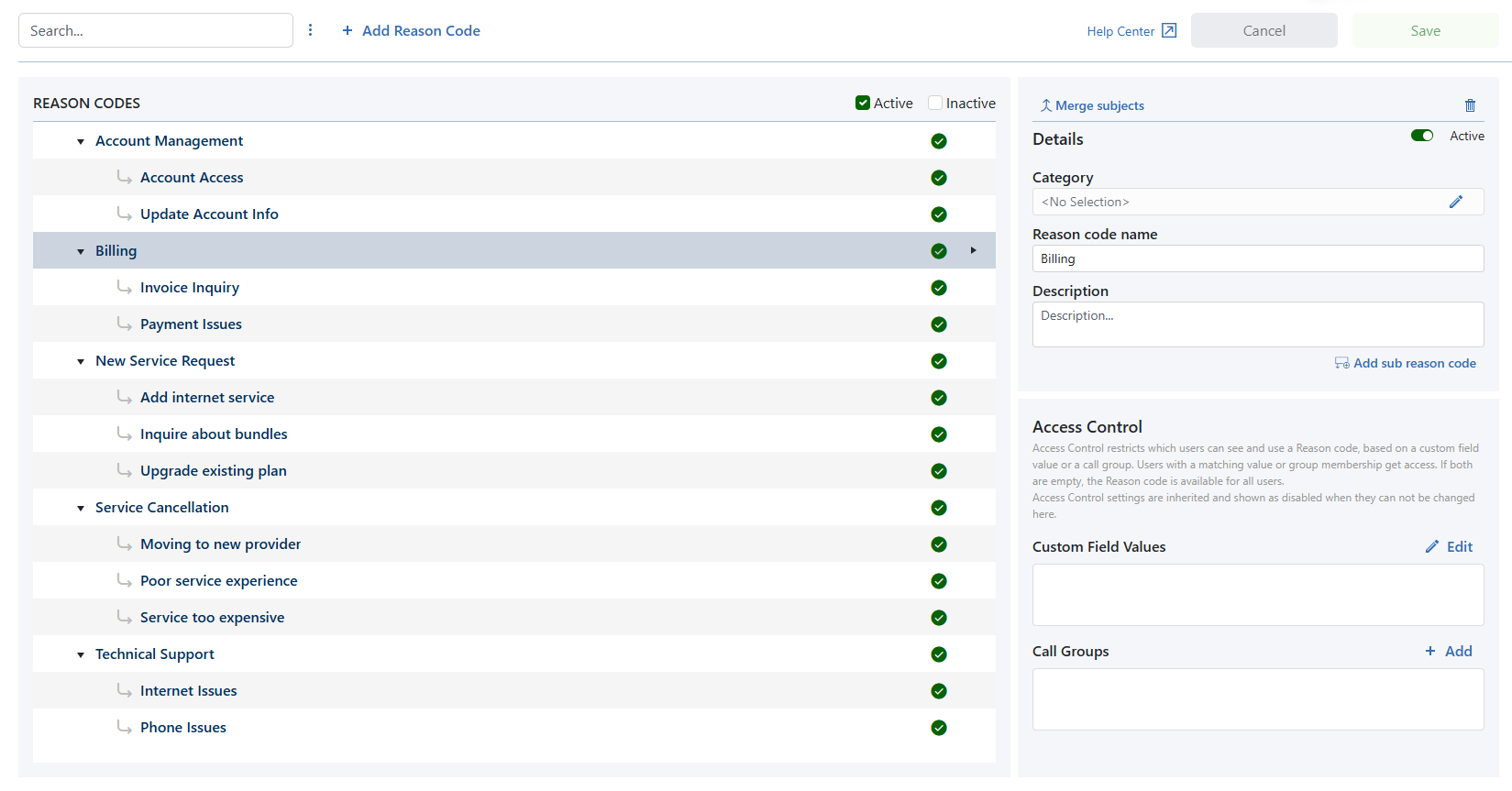
Reason code list
When selecting a reason code in the list, the details section will show the values for that specific code.
If reason codes are related, an arrow will show the relationship between them.
Child reason codes can be collapsed to hide them from view.
Reason code details
Active |
A reason code can be active or inactive. It cannot be active if its parent reason code is inactive |
Merge |
Merge will merge the selected reason code into the reason code selected in the drop down |
Category |
The parent reason code, the reason code belongs to, in the hierarchy |
Reason code name |
The name used to identify the reason code |
Description |
A short explanation of what the reason code is used for. Mainly used in the Admin module |
Access control
Access control limits which users can see and use a reason code based on a custom field value or call group.
Users with matching values or group membership will have access. If both fields are empty, the reason code is available to all users.
Access control settings are inherited and may appear disabled when they cannot be changed from this view.