
Custom Fields
In custom fields you can create customized fields such as divisions, capabilities, titles and others that can help you describe the users and the relationship within your company.
You can define Custom Fields according to your company’s needs. The field can also be used as filters in the clients.
A new custom field is not visible in clients until the client is restarted.
Overview
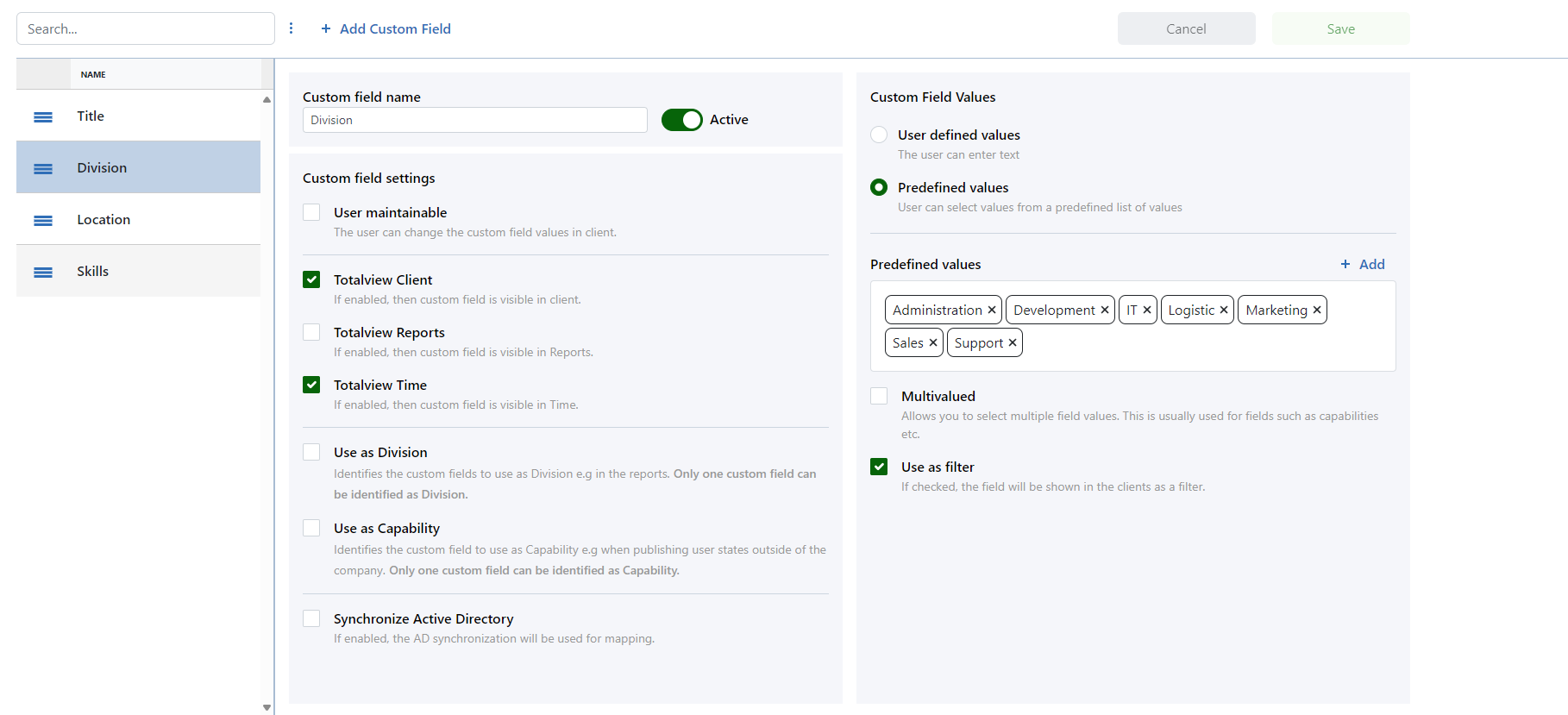
The page is divided into two main areas:
Left Side: Displays a list of Custom Fields with their name.
Right Side: Shows details of the selected Custom Fields.
List of Custom Fields
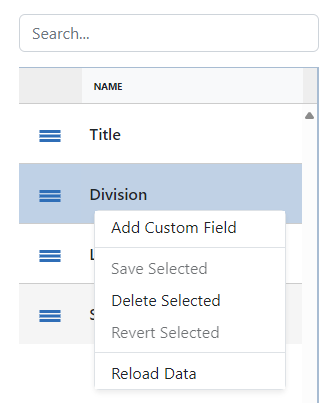
The list of Custom Fields provides a searchable interface. Features include:
Filtering Custom Fields using a text field.
Changing the selected Custom Fields by clicking on a group.
Right-click options such as adding, saving, marking for deletion, reverting changes, or reloading the page.
Details
The details section is divided up in two parts. The field details contains information and settings about the custom field it self.
The field values section contains settings and definitions of the values of the custom field.
Field details
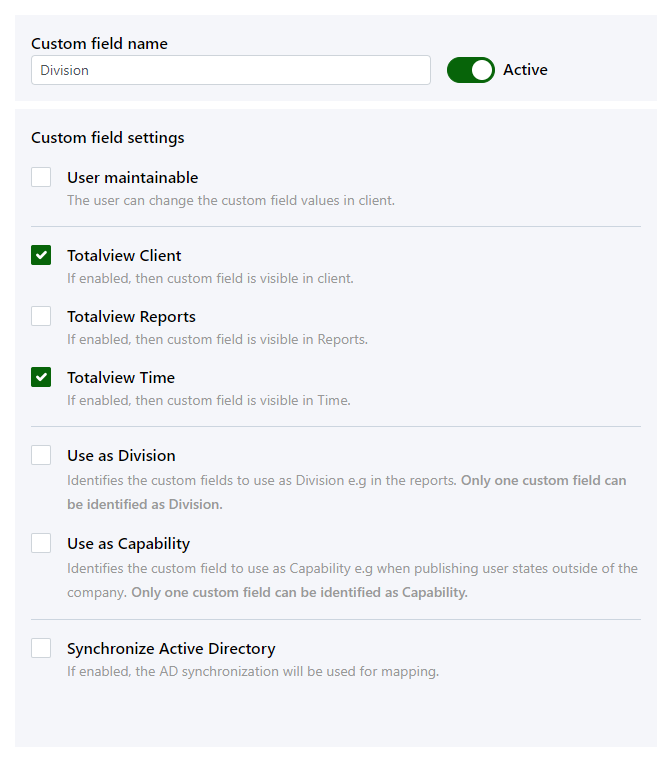
Name |
Custom Field name is entered here. The name is shown in the client when the fields are used as filters and as the column name in the user list. |
Active |
Active fields are visible to the user in AdminUsers and in the Totalview client. |
User maintainable |
If a field is set as user maintainable, the field will be visible in the client’s user settings where the user can change the values. Fields as Division are normally not user maintainable while fields like Address is. |
Totalview Client |
If enabled, then custom field is visible in client. |
Totalview Reports |
If enabled, then custom field is visible in reports. |
Totalview Time |
When enabled the custom field and values are visible and selectable in Totalview Time clients. Only relevant for users that are using the Totalview Time module. |
Use as Division |
Identifies the custom field to use as division filter in the call statistics reports. Only one custom field can be identified as the division filter. |
Use as Capability |
Identifies the custom field to use as capability filer when publishing user states outside of the company. |
Synchronize AD |
If enabled, the AD synchronization will run automatically. |
Field values
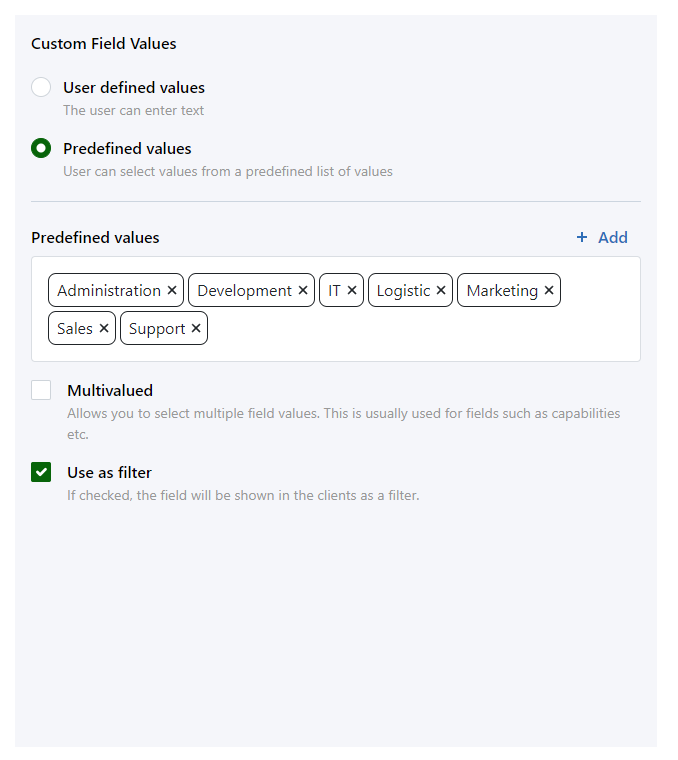
Type |
Two different types of fields can be selected:
|
Multivalued |
Allows you to select multiple field values. This is usually used for fields such as capabilities etc. |
Use as filter |
If checked, the field will be shown in the clients as a filter. Only custom fields based on predefined values can be used as filters. |
Values |
List the predefined values that can be used for the actual custom field. These values are only defined for custom fields of the predefined values type. |