
Changing State Order
When logged in, admin users have the possibility to change the default order of states in the Doorway client. Just click on “Change state order” in the configuration panel:
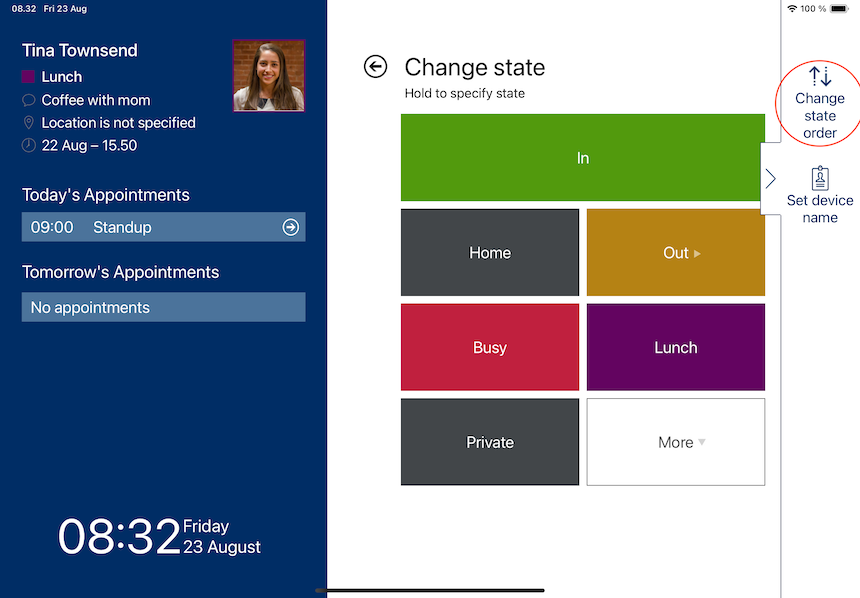
Now click on a state and drag it to the desired position (click the burger icon to the right). The new order is saved automatically and will be visible for all users using this tablet.
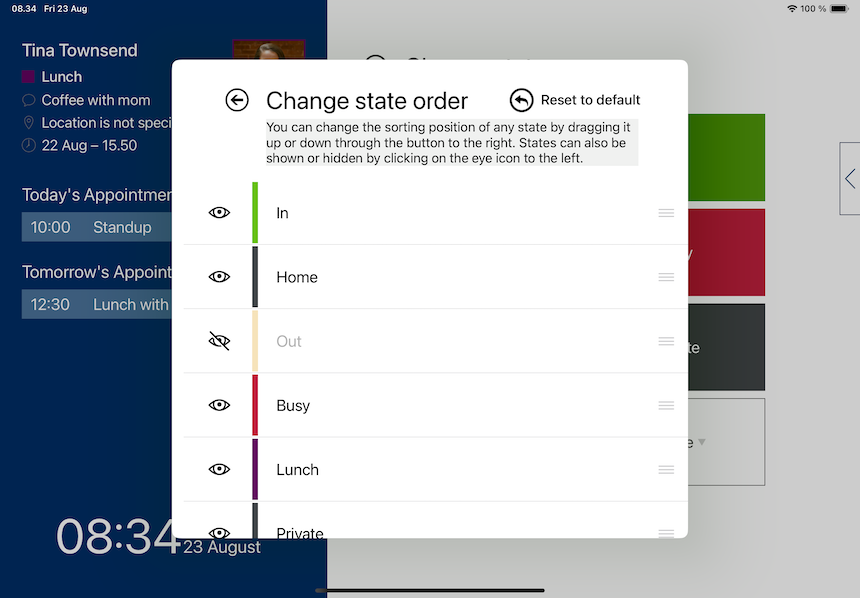
You can also disable the visibility of a state by clicking on the eye to the left.